1. ServiceMesh
- 서비스 메시는 애플리케이션 공통 네트워킹 관심사(보안, 트래픽 제어, 관측)를 앱 외부 인프라에서 투명하게 처리했음.
- 마이크로서비스 운영 도전과제(불신 네트워크, 가용성, 트래픽 가시성, 암호화, 상태, 성능 등)를 앱 코드 대신 인프라로 오프로드했음.
- 기존엔 각 서비스에 라이브러리/패턴(서비스 디스커버리 등)과 메트릭·트레이싱 도구를 직접 포함해야 했으나, 서비스 메시가 이를 일관되게 제공했음.
- Istio는 서비스 메시 구현체로,
- 데이터 플레인: 애플리케이션 옆에 주입되는 프록시(Envoy) 로 정책 집행, 트래픽 제어, mTLS, 메트릭/트레이싱 생성 수행했음.
- 컨트롤 플레인: 운영자가 데이터 플레인의 동작을 API로 관리/구성했음.
- Istio가 Envoy를 쓰는 이유는 기능 다양성과 동적 구성 지원이 뛰어나서였음.
Cilium ServiceMesh
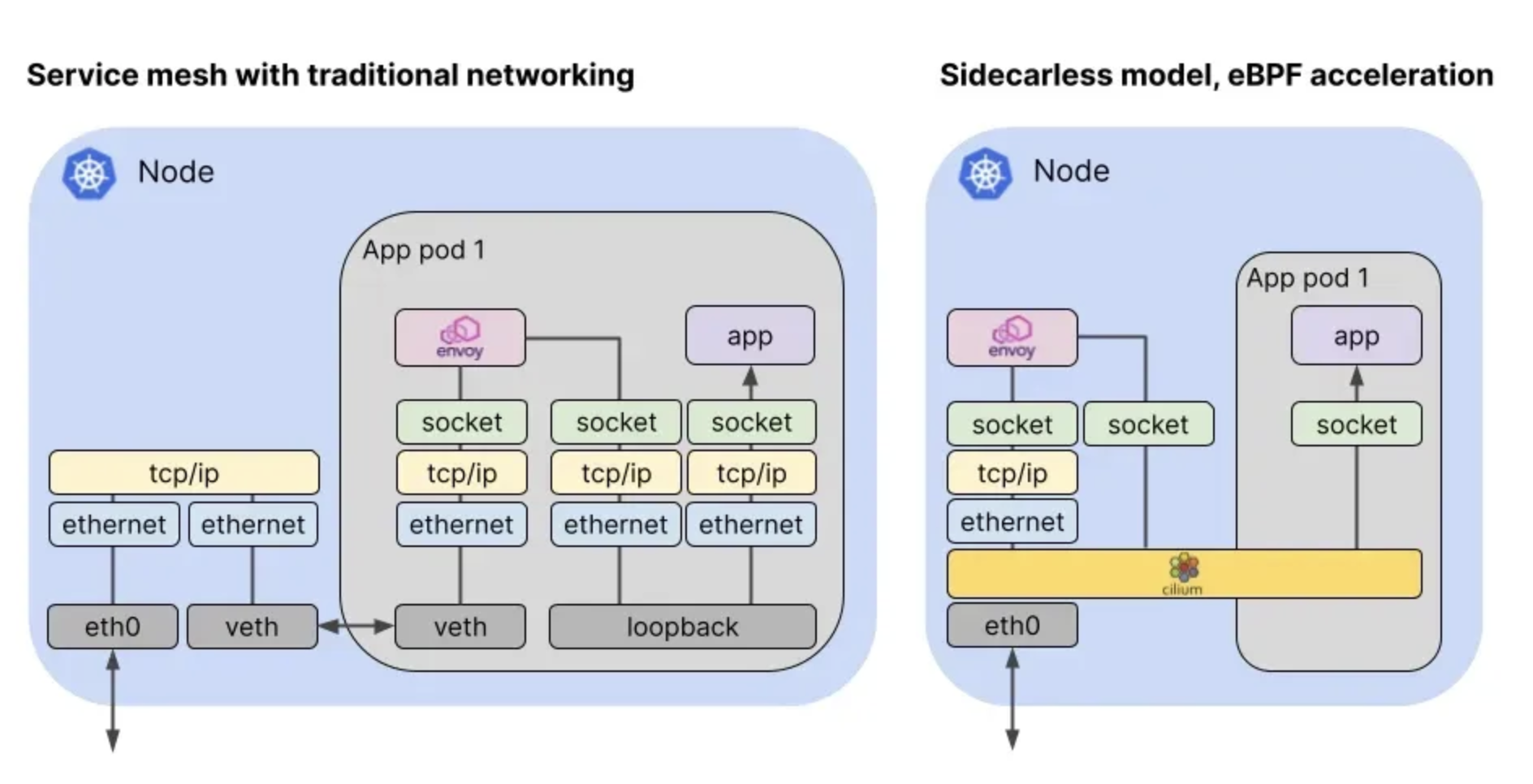
- Cilium Service Mesh를 쓰는 이유:
- L3/L4 처리는 커널 내부 eBPF 데이터패스로 고성능/저오버헤드 구현했음 (IP/TCP/UDP 등)
- L7(HTTP, gRPC, Kafka, DNS 등)은 **cilium-envoy(Envoy 프록시)**로 파싱·정책 적용했음
- 제공 기능 요약:
- Resilient Connectivity: 멀티클라우드/멀티클러스터/온프렘 경계를 넘어 복원력·내결함성 있는 서비스 간 통신 보장했음
- L7 Traffic Management: HTTP/REST/gRPC/WebSocket 수준의 로드밸런싱, 레이트리밋, 리트라이/타임아웃 등 L7 인지형 트래픽 제어 제공했음
- Identity-based Security: IP 같은 네트워크 식별자 대신 서비스 아이덴티티 기반 상호 인증/정책 적용했음
- Observability & Tracing: 메트릭/트레이싱으로 가시성 제공, 안정성·성능·가용성 분석·문제해결 지원했음
- Transparency: 애플리케이션 코드 변경 없이 기능을 투명하게 제공했음
K8s IngressSupport
- 리소스/클래스: 표준 Kubernetes Ingress를 사용했고, ingressClassName: cilium(구버전은 kubernetes.io/ingress.class: cilium 주석도 동작)
- 기능: 경로 기반 라우팅, TLS 종료 지원
- 노출 방식: 기본은 LoadBalancer Service 생성했음. 환경에 따라 NodePort 또는 (1.16+) hostNetwork 직접 노출도 가능
- LB 모드:
- dedicated = Ingress마다 전용 LB를 생성
- shared = 하나의 LB를 여러 Ingress가 공유
- 모드 변경 시 LB IP가 바뀌어 백엔드의 활성 연결이 단절 가능성
Cilium k8s Ingeess Support 관련 정보 확인
cilium ingress 와 cilium gateway api는 동시 활성 불가능
cilium config view | grep -E '^loadbalancer|l7'
Ingress에 예약된 내부 IP 확인 : node( cilium-envoy ) 별로 존재

LB-IPAM 설정 후 확인
cilium config view | grep l2
Cilium IPPool 생성
cat << EOF | kubectl apply -f -
apiVersion: "cilium.io/v2"
kind: CiliumLoadBalancerIPPool
metadata:
  name: "cilium-lb-ippool"
spec:
  blocks:
  - start: "192.168.10.211"
    stop:  "192.168.10.215"
EOF
L2 Announcement 정책 설정
cat << EOF | kubectl apply -f -
apiVersion: "cilium.io/v2alpha1"
kind: CiliumL2AnnouncementPolicy
metadata:
  name: policy1
spec:
  interfaces:
  - eth1
  externalIPs: true
  loadBalancerIPs: true
EOF
현재 리더 역활 노드 확인
kubectl -n kube-system get lease | grep "cilium-l2announce"
Ingress HTTP Example
Cilium Ingress 배포
cat << EOF | kubectl apply -f -
apiVersion: networking.k8s.io/v1
kind: Ingress
metadata:
  name: basic-ingress
  namespace: default
spec:
  ingressClassName: cilium
  rules:
  - http:
      paths:
      - backend:
          service:
            name: details
            port:
              number: 9080
        path: /details
        pathType: Prefix
      - backend:
          service:
            name: productpage
            port:
              number: 9080
        path: /
        pathType: Prefix
EOF
Ingress-Nginx 설치
cat << EOF | kubectl apply -f -
apiVersion: networking.k8s.io/v1
kind: Ingress
metadata:
  name: webpod-ingress-nginx
  namespace: default
spec:
  ingressClassName: nginx
  rules:
  - host: nginx.webpod.local
    http:
      paths:
      - backend:
          service:
            name: webpod
            port:
              number: 80
        path: /
        pathType: Prefix
EOF
Cilium, Nginx Ingress 공존 가능

ingress-controller 통신 확인
LB2IP=$(kubectl get svc -n ingress-nginx ingress-nginx-controller -o jsonpath='{.status.loadBalancer.ingress[0].ip}')

curl $LB2IP
curl -H "Host: nginx.webpod.local" $LB2IP
curl -H "Host: nginx.webpod.local" $LB2IP

sshpass -p 'vagrant' ssh vagrant@router "curl -s -H 'Host: nginx.webpod.local' $LB2IP"
sshpass -p 'vagrant' ssh vagrant@router "curl -s -H 'Host: nginx.webpod.local' $LB2IP"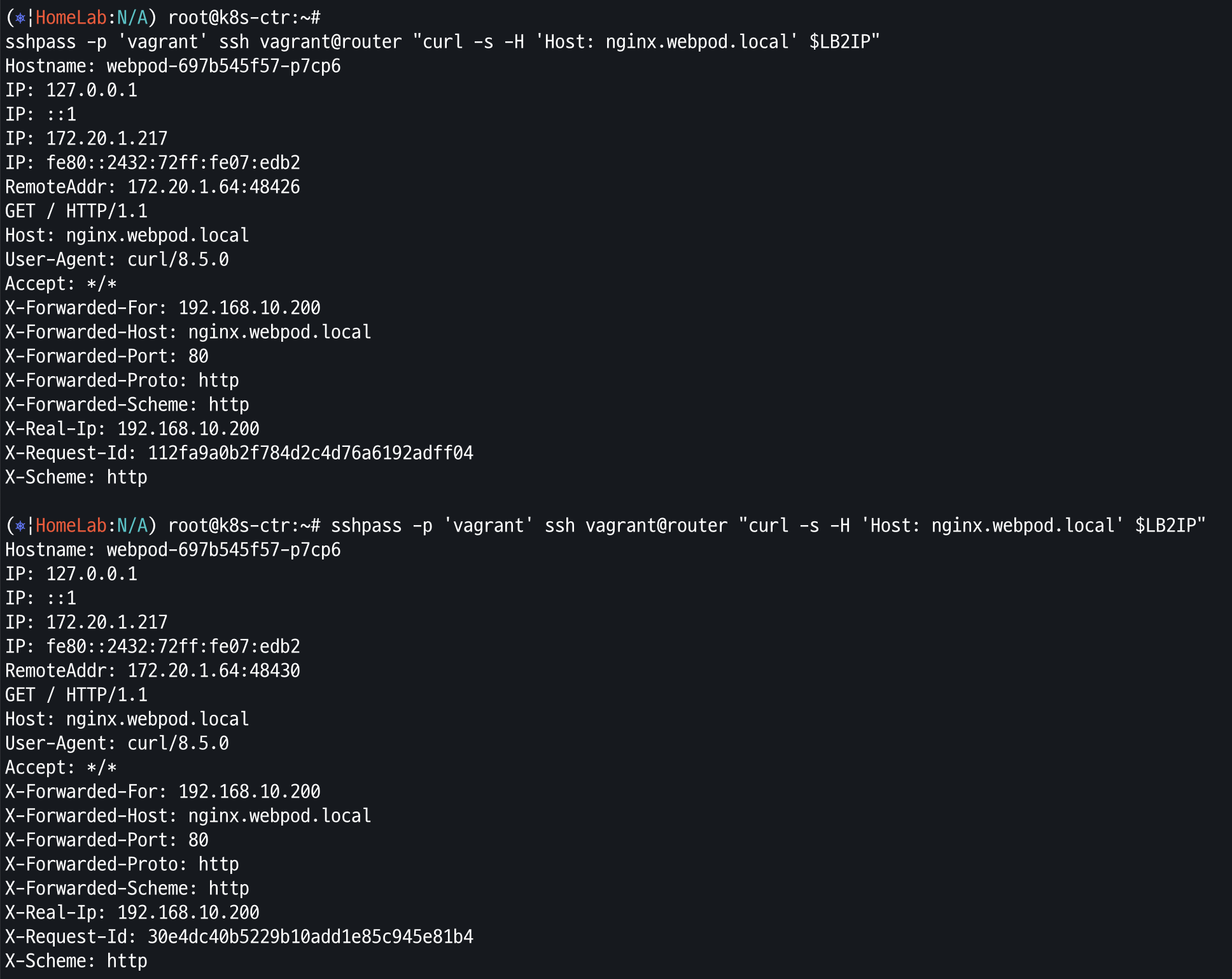
dedicated Mode
dedicated 모드 Ingress 설치
cat << EOF | kubectl apply -f -
apiVersion: networking.k8s.io/v1
kind: Ingress
metadata:
  name: webpod-ingress
  namespace: default
  annotations:
    ingress.cilium.io/loadbalancer-mode: dedicated
spec:
  ingressClassName: cilium
  rules:
  - http:
      paths:
      - backend:
          service:
            name: webpod
            port:
              number: 80
        path: /
        pathType: Prefix
EOF
LB EX-IP 에 대한 L2 Announcemet 의 Leader 확인
kubectl get lease -n kube-system | grep ingress
Ingress and NetworkPolicy
클러스터 전체에 적용되는 정책
cat << EOF | kubectl apply -f -
apiVersion: "cilium.io/v2"
kind: CiliumClusterwideNetworkPolicy
metadata:
  name: "external-lockdown"
spec:
  description: "Block all the traffic originating from outside of the cluster"
  endpointSelector: {}
  ingress:
  - fromEntities:
    - cluster
EOF
모든 외부 통신 거절 확인
curl --fail -v http://"$LBIP"/details/1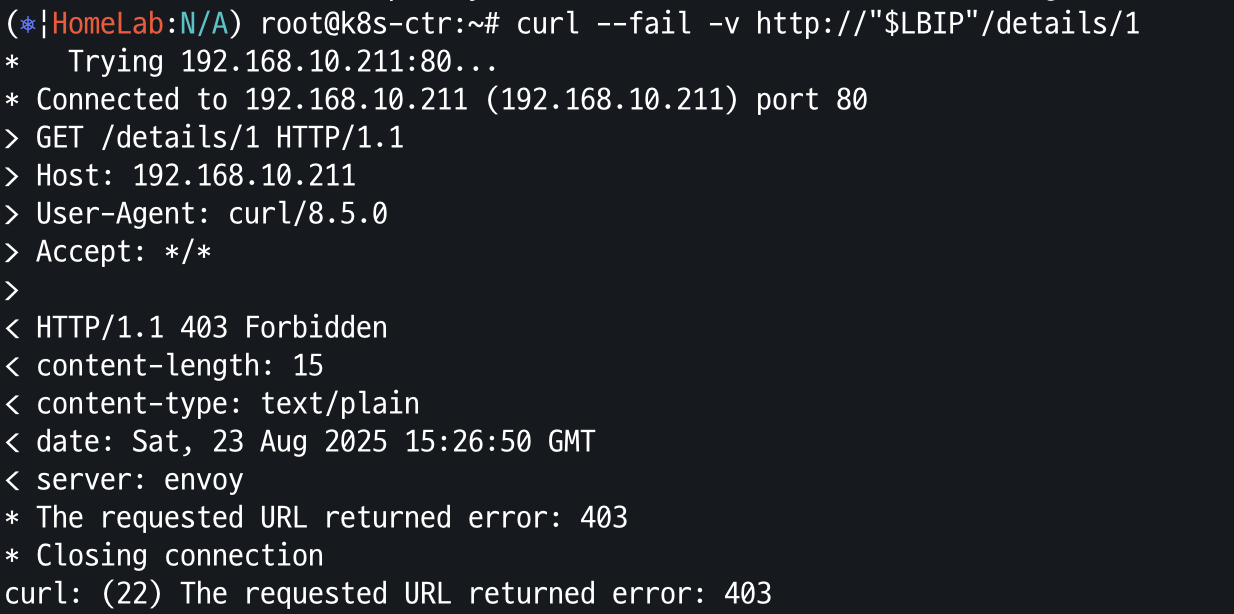
특정 CIDR 에 대한 통신 허용
cat << EOF | kubectl apply -f -
apiVersion: "cilium.io/v2"
kind: CiliumClusterwideNetworkPolicy
metadata:
  name: "allow-cidr"
spec:
  description: "Allow all the traffic originating from a specific CIDR"
  endpointSelector:
    matchExpressions:
    - key: reserved:ingress
      operator: Exists
  ingress:
  - fromCIDRSet:
    # Please update the CIDR to match your environment
    - cidr: 192.168.10.200/32
    - cidr: 127.0.0.1/32
EOF
요청 테스트
curl --fail -v http://"$LBIP"/details/1
DNS 쿼리와 kube-system 내의 pod 제외 all deny
cat << EOF | kubectl apply -f -
apiVersion: cilium.io/v2
kind: CiliumClusterwideNetworkPolicy
metadata:
  name: "default-deny"
spec:
  description: "Block all the traffic (except DNS) by default"
  egress:
  - toEndpoints:
    - matchLabels:
        io.kubernetes.pod.namespace: kube-system
        k8s-app: kube-dns
    toPorts:
    - ports:
      - port: '53'
        protocol: UDP
      rules:
        dns:
        - matchPattern: '*'
  endpointSelector:
    matchExpressions:
    - key: io.kubernetes.pod.namespace
      operator: NotIn
      values:
      - kube-system
EOF
요청 재 테스트
curl --fail -v http://"$LBIP"/details/1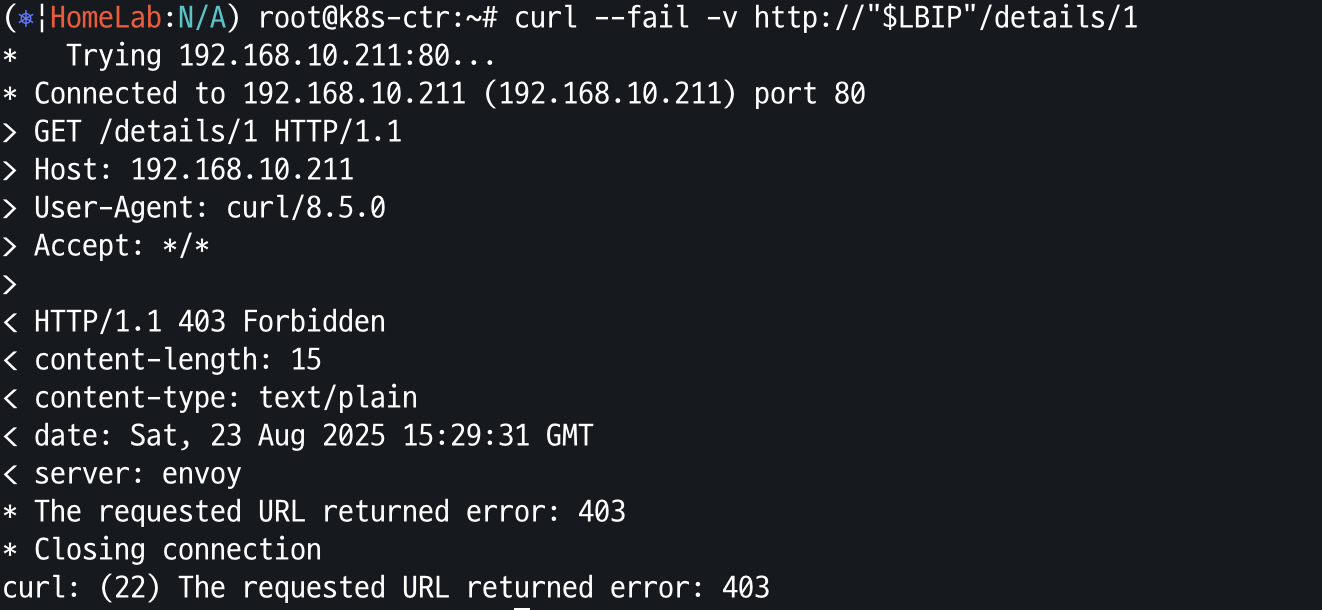
Ingress 를 통한 요청 허용
cat << EOF | kubectl apply -f -
apiVersion: cilium.io/v2
kind: CiliumClusterwideNetworkPolicy
metadata:
  name: allow-ingress-egress
spec:
  description: "Allow all the egress traffic from reserved ingress identity to any endpoints in the cluster"
  endpointSelector:
    matchExpressions:
    - key: reserved:ingress
      operator: Exists
  egress:
  - toEntities:
    - cluster
EOF
Ingress를 통한 요청 허용 확인
curl --fail -v http://"$LBIP"/details/1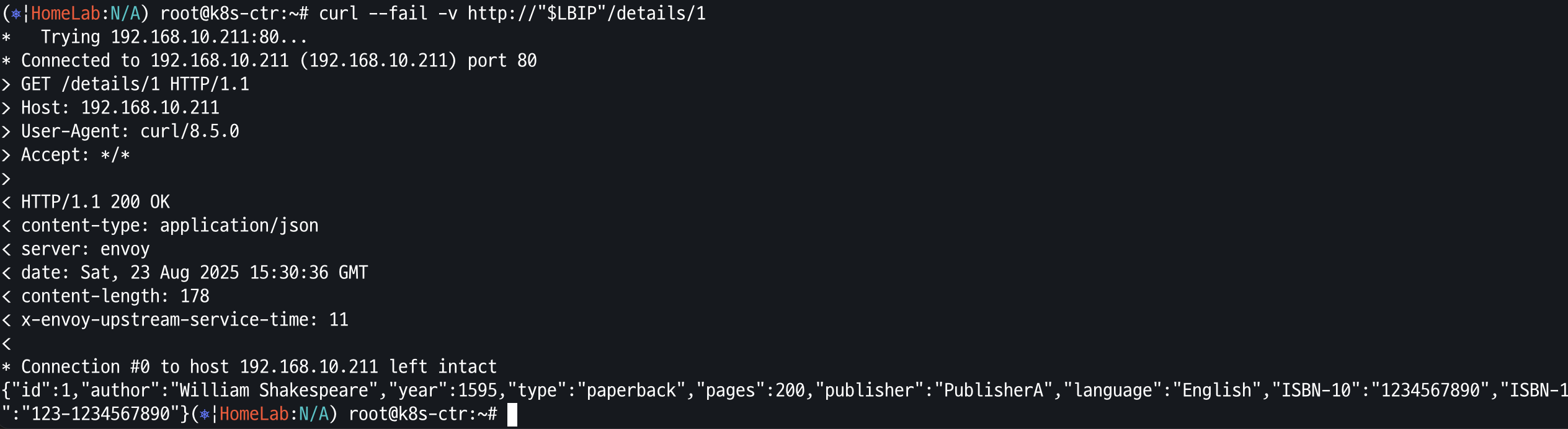
Ingress Path Type
Multiple-path-type
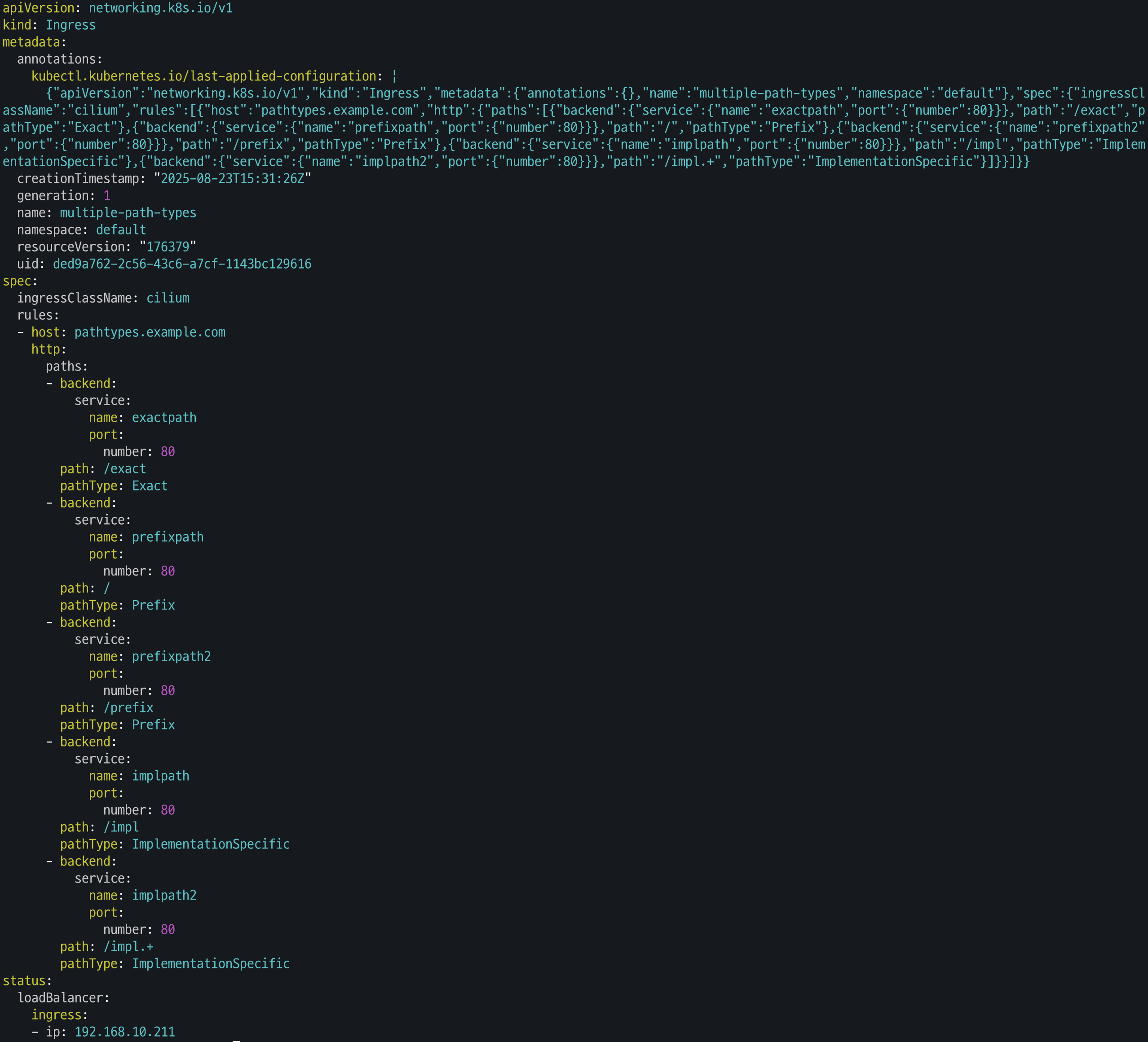
호출 확인
curl -s -H "Host: pathtypes.example.com" http://$PATHTYPE_IP/ | jq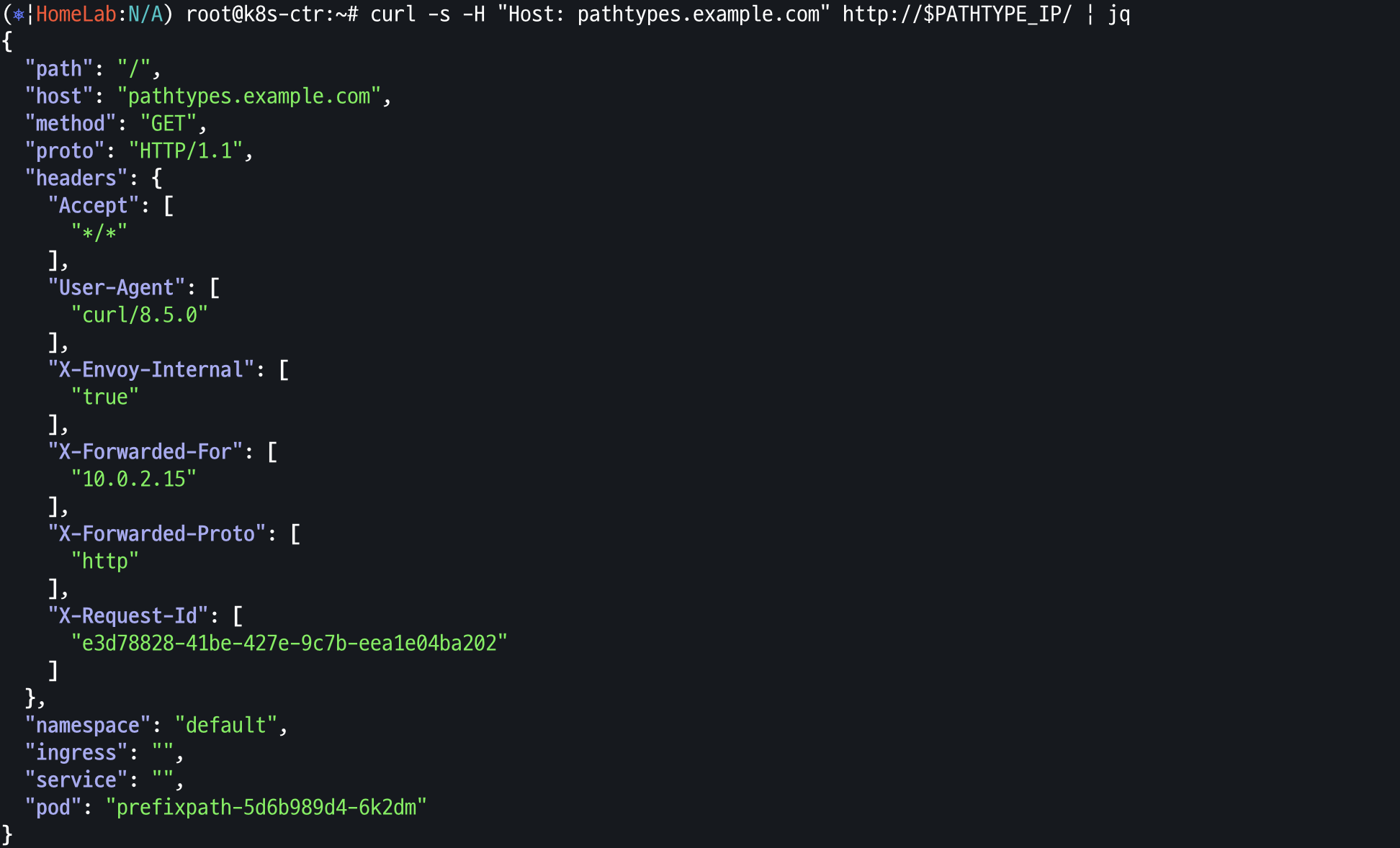
TLS Termination
mkcert 설치
apt install mkcert -y와일드 카드 인증서 생성
mkcert '*.cilium.rocks'생성 인증서를 사용하는 cilium Ingress 배포
cat << EOF | kubectl apply -f -
apiVersion: networking.k8s.io/v1
kind: Ingress
metadata:
  name: tls-ingress
  namespace: default
spec:
  ingressClassName: cilium
  rules:
  - host: webpod.cilium.rocks
    http:
      paths:
      - backend:
          service:
            name: webpod
            port:
              number: 80
        path: /
        pathType: Prefix
  - host: bookinfo.cilium.rocks
    http:
      paths:
      - backend:
          service:
            name: details
            port:
              number: 9080
        path: /details
        pathType: Prefix
      - backend:
          service:
            name: productpage
            port:
              number: 9080
        path: /
        pathType: Prefix
  tls:
  - hosts:
    - webpod.cilium.rocks
    - bookinfo.cilium.rocks
    secretName: demo-cert
EOF
로컬 CA(인증기관) 생성
mkcert -CAROOTOS 신뢰 저장소에 CA 등록
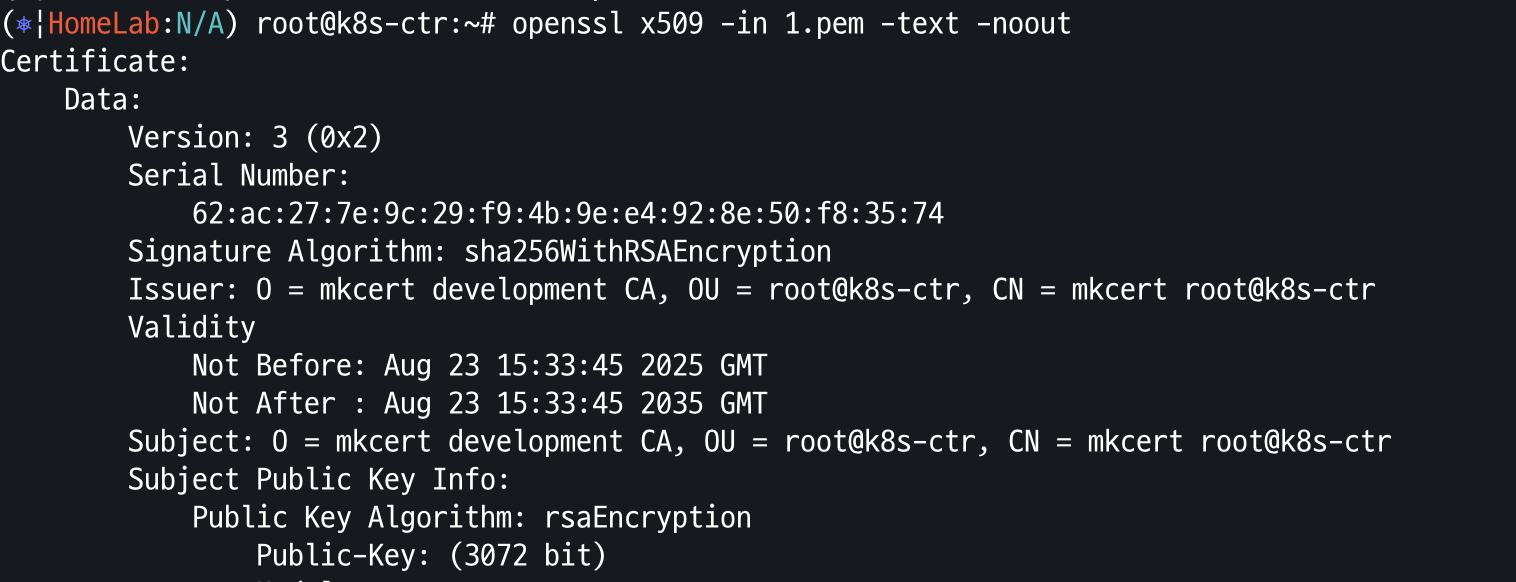
브라우저 신뢰 저장소에 등록
Gateway API Support
- 버전/범위: 최신 v1.3.0 기준. **N-S(ingress)**와 E-W(Service Mesh, GAMMA) 트래픽 모두 다룸.
- 핵심 기능
- 개선된 리소스 모델: GatewayClass/Gateway/Route(HTTPRoute·TCPRoute…)로 세분화된 라우팅 정의
- 프로토콜 독립: HTTP뿐 아니라 TCP/UDP/TLS 지원
- 보안 강화: TLS 및 세밀한 접근제어 내장
- 크로스 네임스페이스: 다른 NS의 서비스로 안전하게 라우팅
- 확장성: 정책·CRD로 쉽게 확장
- 역할 지향: 인프라/클러스터 운영/앱 개발 역할 분리
Ingress 와의 차이점
- Ingress의 한계를 넘는 헤더 기반 라우팅, 헤더 변조, 트래픽 미러링 등 고급 기능 제공
- 역할 지향(Role-oriented) 설계로 운영자와 개발자 권한·경계를 명확히 분리
리소스 구성 요소
- GatewayClass: 컨트롤러가 관리하는 게이트웨이 클래스 정의
- Gateway: 실제 트래픽 처리 인프라 인스턴스(예: 클라우드 LB)
- HTTPRoute/TCPRoute(… ): 리스너 → 백엔드(Service)로 프로토콜별 규칙 매핑
역할 지향이 중요한 이유
- Infrastructure Provider: 멀티 테넌트 인프라·격리 관리
- Cluster Operator: 정책/접근/권한 관리
- App Developer: 애플리케이션 라우팅(예: 특정 Namespace의 경로 규칙)을 자율적으로 관리
- → 조직/팀 경계에 맞게 권한과 책임을 분리하고, 운영/변경을 빠르고 안전하게 함
적용 맥락
- Service Mesh와 결합해 N-S + E-W 트래픽을 일관된 모델로 관리 가능
- 표준화된 리소스와 컨트롤러 확장성을 통해 동적 인프라 프로비저닝과 고급 트래픽 라우팅을 구현
Cilium GatewayAPI 설정
helm upgrade cilium cilium/cilium --version 1.18.1 --namespace kube-system --reuse-values \
--set ingressController.enabled=false --set gatewayAPI.enabled=true
Cilium gateway Deploy
cat << EOF | kubectl apply -f -
apiVersion: gateway.networking.k8s.io/v1
kind: Gateway
metadata:
  name: my-gateway
spec:
  gatewayClassName: cilium
  listeners:
  - protocol: HTTP
    port: 80
    name: web-gw
    allowedRoutes:
      namespaces:
        from: Same
---
apiVersion: gateway.networking.k8s.io/v1
kind: HTTPRoute
metadata:
  name: http-app-1
spec:
  parentRefs:
  - name: my-gateway
    namespace: default
  rules:
  - matches:
    - path:
        type: PathPrefix
        value: /details
    backendRefs:
    - name: details
      port: 9080
  - matches:
    - headers:
      - type: Exact
        name: magic
        value: foo
      queryParams:
      - type: Exact
        name: great
        value: example
      path:
        type: PathPrefix
        value: /
      method: GET
    backendRefs:
    - name: productpage
      port: 9080
EOF
Gateway Request
GATEWAY=$(kubectl get gateway my-gateway -o jsonpath='{.status.addresses[0].value}')
echo $GATEWAY

# HTTP Path matching
# Let's now check that traffic based on the URL path is proxied by the Gateway API.
# Check that you can make HTTP requests to that external address:
# Because the path starts with /details, this traffic will match the first rule and will be proxied to the details Service over port 9080.
curl --fail -s http://"$GATEWAY"/details/1 | jq
sshpass -p 'vagrant' ssh vagrant@router "curl -s --fail -v http://"$GATEWAY"/details/1"
HTTPS 예제
cat << EOF | kubectl apply -f -
apiVersion: gateway.networking.k8s.io/v1
kind: Gateway
metadata:
  name: tls-gateway
spec:
  gatewayClassName: cilium
  listeners:
  - name: https-1
    protocol: HTTPS
    port: 443
    hostname: "bookinfo.cilium.rocks"
    tls:
      certificateRefs:
      - kind: Secret
        name: demo-cert
  - name: https-2
    protocol: HTTPS
    port: 443
    hostname: "webpod.cilium.rocks"
    tls:
      certificateRefs:
      - kind: Secret
        name: demo-cert
---
apiVersion: gateway.networking.k8s.io/v1
kind: HTTPRoute
metadata:
  name: https-app-route-1
spec:
  parentRefs:
  - name: tls-gateway
  hostnames:
  - "bookinfo.cilium.rocks"
  rules:
  - matches:
    - path:
        type: PathPrefix
        value: /details
    backendRefs:
    - name: details
      port: 9080
---
apiVersion: gateway.networking.k8s.io/v1
kind: HTTPRoute
metadata:
  name: https-app-route-2
spec:
  parentRefs:
  - name: tls-gateway
  hostnames:
  - "webpod.cilium.rocks"
  rules:
  - matches:
    - path:
        type: PathPrefix
        value: /
    backendRefs:
    - name: webpod
      port: 80
EOF
TLS 요청
Sample APP 배포
cat <<'EOF' > nginx.conf
events {
}

http {
  log_format main '$remote_addr - $remote_user [$time_local]  $status '
  '"$request" $body_bytes_sent "$http_referer" '
  '"$http_user_agent" "$http_x_forwarded_for"';
  access_log /var/log/nginx/access.log main;
  error_log  /var/log/nginx/error.log;

  server {
    listen 443 ssl;

    root /usr/share/nginx/html;
    index index.html;

    server_name nginx.cilium.rocks;
    ssl_certificate /etc/nginx-server-certs/tls.crt;
    ssl_certificate_key /etc/nginx-server-certs/tls.key;
  }
}
EOF

kubectl create configmap nginx-configmap --from-file=nginx.conf=./nginx.conf
Nginx 서버 배포
cat << EOF | kubectl apply -f -
apiVersion: v1
kind: Service
metadata:
  name: my-nginx
  labels:
    run: my-nginx
spec:
  ports:
    - port: 443
      protocol: TCP
  selector:
    run: my-nginx
---
apiVersion: apps/v1
kind: Deployment
metadata:
  name: my-nginx
spec:
  selector:
    matchLabels:
      run: my-nginx
  replicas: 1
  template:
    metadata:
      labels:
        run: my-nginx
    spec:
      containers:
        - name: my-nginx
          image: nginx
          ports:
            - containerPort: 443
          volumeMounts:
            - name: nginx-config
              mountPath: /etc/nginx
              readOnly: true
            - name: nginx-server-certs
              mountPath: /etc/nginx-server-certs
              readOnly: true
      volumes:
        - name: nginx-config
          configMap:
            name: nginx-configmap
        - name: nginx-server-certs
          secret:
            secretName: demo-cert
EOF
Gateway 배포
cat << EOF | kubectl apply -f -
apiVersion: gateway.networking.k8s.io/v1
kind: Gateway
metadata:
  name: cilium-tls-gateway
spec:
  gatewayClassName: cilium
  listeners:
    - name: https
      hostname: "nginx.cilium.rocks"
      port: 443
      protocol: TLS
      tls:
        mode: Passthrough
      allowedRoutes:
        namespaces:
          from: All
---
apiVersion: gateway.networking.k8s.io/v1alpha2
kind: TLSRoute
metadata:
  name: nginx
spec:
  parentRefs:
    - name: cilium-tls-gateway
  hostnames:
    - "nginx.cilium.rocks"
  rules:
    - backendRefs:
        - name: my-nginx
          port: 443
EOF
호출 테스트
kubectl get tlsroutes.gateway.networking.k8s.io -o json | jq '.items[0].status.parents[0]'
TLS Request
curl -v --resolve "nginx.cilium.rocks:443:$GATEWAY" "https://nginx.cilium.rocks:443"L7-Aware Traffic Management
- 검증/충돌 처리 부족: CEC는 최소 검증만 하고 충돌 해소 로직이 없음. 같은 영역을 여러 CEC가 수정하면 결과가 예측 불가.
- 문제 해결 난이도: CEC 상태 피드백이 제한적이어서, 이상 시 Envoy 실제 구성(config dump 등)을 직접 확인해야 함.
- Ingress/Gateway와의 상호작용 주의: Cilium Ingress/Gateway가 자동 생성한 Envoy 설정과 겹치거나 덮어쓰는 CEC는 예측 불가 동작 유발 가능. 필요 최소한으로 사용 권장.
- E/W 트래픽용 직접 CEC 작성 시 레이블 필수:그렇지 않으면 Envoy가 업스트림 소켓을 원본 주소/포트에 바인딩하여 HTTP/1.1 파이프라인·HTTP/2 다중화에서 5-튜플 충돌 가능.
- Cilium은 컨트롤러가 만든 CEC는 기본적으로 "false"로 가정, 직접 만든 CEC는 "true"로 가정하므로 명시 설정 필요.
- cilium.io/use-original-source-address: "false" 를 반드시 설정.
- 지원 버전: 현재 Envoy API v3만 지원.
Helm Upgrade
helm upgrade cilium cilium/cilium --version 1.18.1 --namespace kube-system --reuse-values \
--set ingressController.enabled=true --set gatewayAPI.enabled=false \
--set envoyConfig.enabled=true  --set loadBalancer.l7.backend=envoy
두 백엔드 서비스(echo-service-1/2) 간의 요청 부하를 분산 및 URL Re-write Envoy 리스너를 설정
Layer 7 Policy 배포
apiVersion: "cilium.io/v2"
kind: CiliumNetworkPolicy
metadata:
  name: client-egress-l7-http
spec:
  description: "Allow GET one.one.one.one:80/ and GET <echo>:8080/ from client2"
  endpointSelector:
    matchLabels:
      other: client
  egress:
    # Allow GET / requests towards echo pods.
    - toEndpoints:
        - matchLabels:
            k8s:kind: echo
      toPorts:
        - ports:
            - port: "8080"
              protocol: TCP
          rules:
            http:
              - method: "GET"
                path: "/"
    # Allow GET / requests, only towards one.one.one.one.
    - toFQDNs:
        - matchName: "one.one.one.one"
      toPorts:
        - ports:
            - port: "80"
              protocol: TCP
          rules:
            http:
              - method: "GET"
                path: "/"
apiVersion: cilium.io/v2
kind: CiliumNetworkPolicy
metadata:
name: client-egress-only-dns
spec:
endpointSelector:
matchLabels:
kind: client
egress:
- toPorts:
- ports:
- port: "53"
protocol: ANY
rules:
dns:
- matchPattern: "*"
toEndpoints:
- matchLabels:
k8s:io.kubernetes.pod.namespace: kube-system
k8s:k8s-app: kube-dns
- matchLabels:
k8s:io.kubernetes.pod.namespace: kube-system
k8s:k8s-app: coredns두 백엔드 echo-서비스 간의 50/50 부하분산을 위한 EnvoyConfig 배포
apiVersion: cilium.io/v2
kind: CiliumClusterwideEnvoyConfig
metadata:
  name: envoy-lb-listener
spec:
  services:
    - name: echo-service-1
      namespace: default
    - name: echo-service-2
      namespace: default
  resources:
    - "@type": type.googleapis.com/envoy.config.listener.v3.Listener
      name: envoy-lb-listener
      filter_chains:
        - filters:
            - name: envoy.filters.network.http_connection_manager
              typed_config:
                "@type": type.googleapis.com/envoy.extensions.filters.network.http_connection_manager.v3.HttpConnectionManager
                stat_prefix: envoy-lb-listener
                rds:
                  route_config_name: lb_route
                use_remote_address: true
                skip_xff_append: true
                http_filters:
                  - name: envoy.filters.http.router
                    typed_config:
                      "@type": type.googleapis.com/envoy.extensions.filters.http.router.v3.Router
    - "@type": type.googleapis.com/envoy.config.route.v3.RouteConfiguration
      name: lb_route
      virtual_hosts:
        - name: "lb_route"
          domains: [ "*" ]
          routes:
            - match:
                prefix: "/"
              route:
                weighted_clusters:
                  clusters:
                    - name: "default/echo-service-1"
                      weight: 50
                    - name: "default/echo-service-2"
                      weight: 50
                retry_policy:
                  retry_on: 5xx
                  num_retries: 3
                  per_try_timeout: 1s
                regex_rewrite:
                  pattern:
                    google_re2: { }
                    regex: "^/foo.*$"
                  substitution: "/"
    - "@type": type.googleapis.com/envoy.config.cluster.v3.Cluster
      name: "default/echo-service-1"
      connect_timeout: 5s
      lb_policy: ROUND_ROBIN
      type: EDS
      outlier_detection:
        split_external_local_origin_errors: true
        consecutive_local_origin_failure: 2
    - "@type": type.googleapis.com/envoy.config.cluster.v3.Cluster
      name: "default/echo-service-2"
      connect_timeout: 3s
      lb_policy: ROUND_ROBIN
      type: EDS
      outlier_detection:
        split_external_local_origin_errors: true
        consecutive_local_origin_failure: 2
ccee 확인
kubectl get ccec
/foo 요청이 path-rewriting 때문에 요청 성공
kubectl exec -it $CLIENT2 -- curl -v echo-service-1:8080/foo